Edit Numbers in Document

Prompt
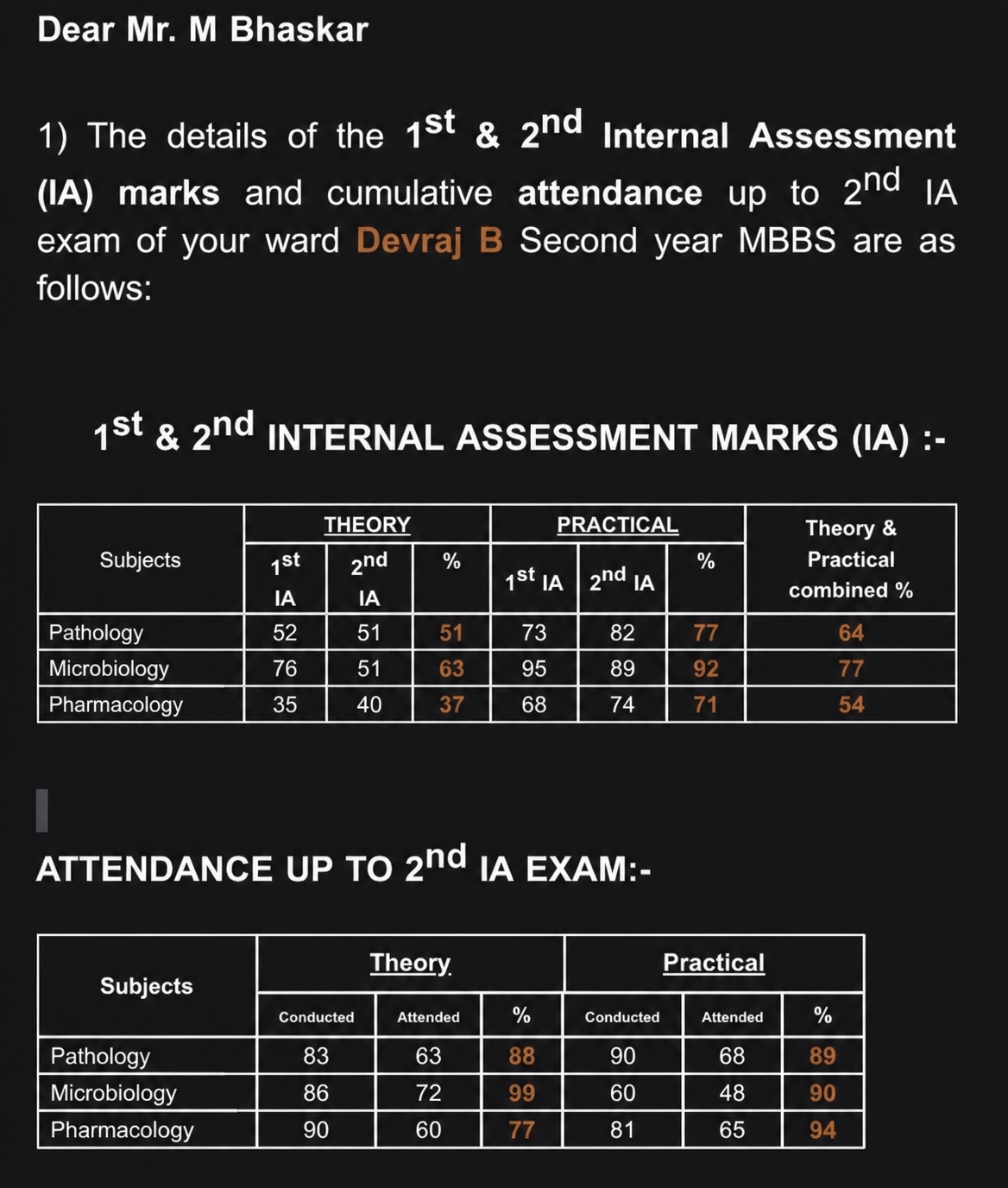
Add 20 to every number in the table. For example, if a number is 15, change it to 35. If it's 18, change to 38. If it's 14, change to 34. If it's 7, change to 27. If it's 8, change to 28. If it's 20, change to 40. Keep the exact same table layout, headings, and text. Only modify the numerical values by adding 20 to each one.
More like this